How to contact your HR Representative
- Please follow up with your HR Representative who provided you with your new hire paperwork.
- Refer to the UI New Hire Login ID for New Hire email you received. Your HR Representative is copied on that email.
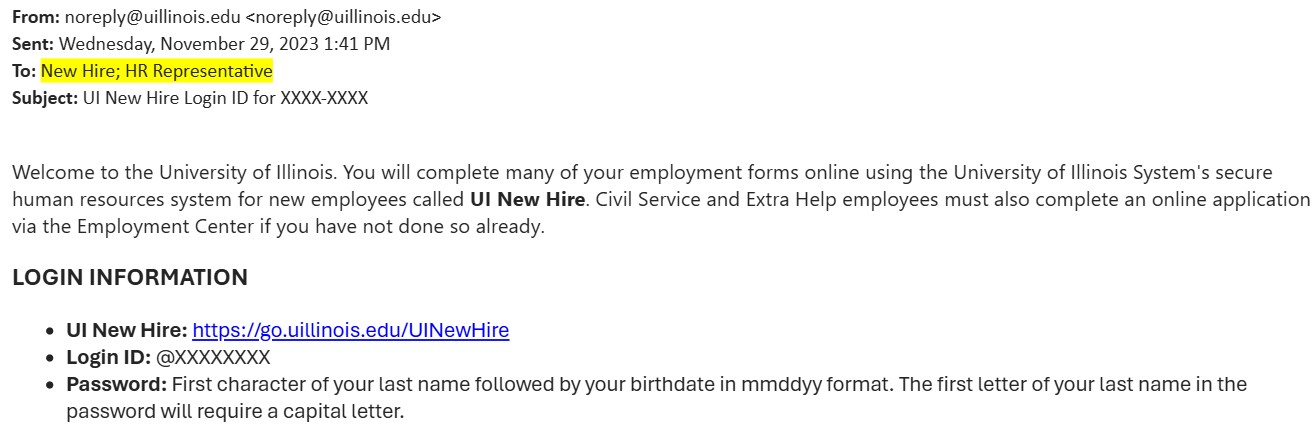
How do I reset my password?
Please reach out to your HR Representative to have them reset your password. Once reset, an email will be sent to you with your login information.
What do I do if I can’t access a required training?
NetID issues are handled by IT at each location. Please follow up with the department at your office location:
How do I know when I am finished with the required training?
If uncertain that training has been fully completed, please confirm with your HR Representative on the status of your training module.
How do I know when I am finished with the required forms?
Please make sure you have completed all steps in UI New Hire before closing out. If you are unsure if you have completed all steps, reach out to your HR Representative to confirm all steps are complete.
What do I do if Education Institution Not Listed comes up when I enter my institution?
- If you have claimed your NetID, please use this form to request that your institution is added.
- If you are unable to access the form, contact your HR Help Desk: